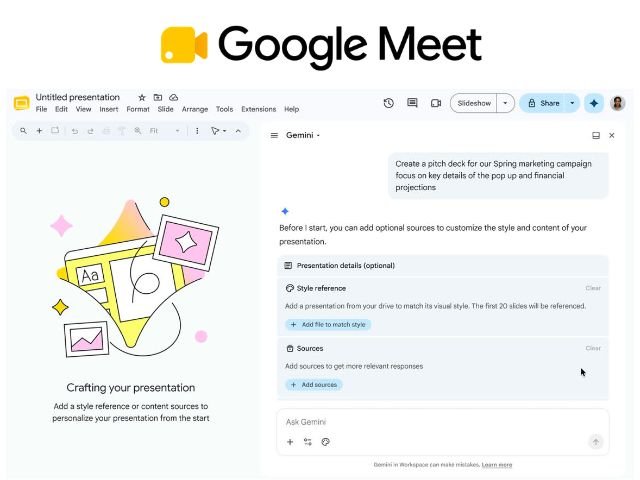
Google Meet grid interface with ten participants. A dialog box opens on the left side allowing you to use the "Ask Gemini" feature.
How to use “Ask Gemini” in Google Meet and transform your businessGeminiGoogle MeetGoogle Workspace

How to use “Ask Gemini” in Google Meet and transform your business

Virtual meetings have become the core of collaboration. How many times have you felt like…
Screenshot of the Google Docs interface showing real-time collaboration. In the central document, the cursors of two users, Lily Clark and Aaron Page, are visible, editing different lines of text and a table. To the right, an overlay window appears with an embedded Google Meet video call, showing a smiling male participant in a kitchen. In the lower left, a pop-up notification window details an action assigned by Lily Clark to Nicholas Kim (@nicholas.kim@cymbal.com). The design illustrates how notifications and communication occur directly within the editing workflow.
How to receive edit notifications in Google Docs (2026 Guide)Google DocsGoogle Workspace

How to receive edit notifications in Google Docs (2026 Guide)

  Step by Step: How to Enable Change Alerts Setting up these alerts is simple…
Learn how to write emails using Google Docs
How to compose emails from Google DocsGmailGoogle DocsGoogle Workspace

How to compose emails from Google Docs

      What is the "Email draft" building block? It is a smart canvas…
Google Docs interface showing the Gemini AI dashboard connecting data sources from Google Drive, Gmail, and Sheets on a laptop.
How to use sources in Google Workspace with GeminiGeminiGoogle DocsGoogle DriveGoogle SheetsGoogle Workspace

How to use sources in Google Workspace with Gemini

When you use Gemini in Workspace applications like Docs and Drive, you use sources to…
Example of an AI-generated audio cover from Gemini titled 'Purr Evil'. The image shows a black cat dressed as a wizard in an alchemical kitchen, accompanied by music style tags such as 'Film score' and 'Dramatic', illustrating Lyria 3's music creation capabilities.
How to create music with Gemini and Lyria 3GeminiGoogle AIGoogle Workspace

How to create music with Gemini and Lyria 3

Unlike other generators, the integration of Lyria 3 into Gemini stands out for its multimodality.…
Logo of Lyria 3, Google DeepMind's most advanced AI model for music, within the Gemini ecosystem.
Gemini and Lyria transform music creation with AIGeminiGoogle AIGoogle Workspace

Gemini and Lyria transform music creation with AI

Today, we want to talk to you about a quantum leap in content creation: the…
Avoid late submissions and manual errors. We'll show you how to automate Google Forms so it receives responses professionally and securely.
Goodbye to Manual Control: How to Schedule Automatic Closure in Google FormsGoogle FormsGoogle Workspace

Goodbye to Manual Control: How to Schedule Automatic Closure in Google Forms

In the world of productivity and data management, time is the most valuable resource. If…
Digital interface of AI tools that displays prompts to generate infographics and mockups, superimposed on a photo of a young creative working in an office.
5 ways to use AI-powered visual content at workGeminiGoogle AIGoogle SlidesGoogle VidsGoogle Workspace

5 ways to use AI-powered visual content at work

Generative AI has made it easier and faster than ever to create high-quality visual content.…
Does your company already use AI for video? Meet Flow, Google Workspace's new partner for generating high-definition clips.
Flow arrives at Google Workspace: The new era of AI-powered video creationFlowGoogle AIGoogle Workspace

Flow arrives at Google Workspace: The new era of AI-powered video creation

  In today's business world, visual content is not just a luxury—it's a necessity. Whether…