
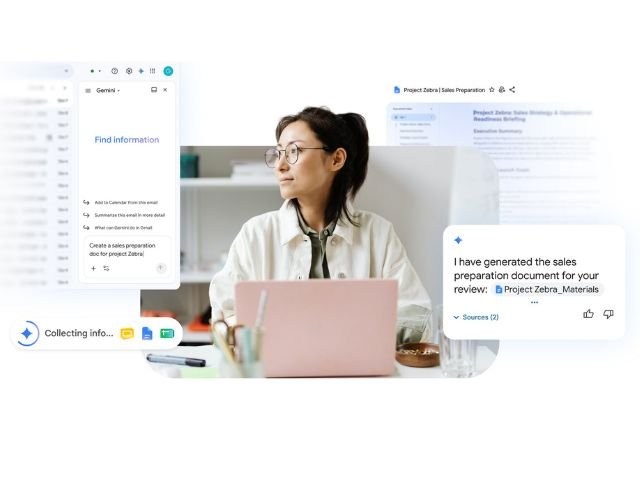

Constantly switching between Gmail, Calendar, Drive, and Docs to coordinate a single project breaks focus and slows down momentum. To eliminate this fragmentation, Google is advancing the integration of Gemini in Google Workspace, enabling artificial intelligence to execute complex, multi-step tasks in the background—regardless of the app you are currently in.
What executing cross-app tasks in the background means
Until now, interacting with cloud AI often required opening the specific tool where the action was to take place. With this update, Gemini acts as a coordinated agent operating across the entire Google Workspace environment from a single entry point.
This means you can provide Gemini with a series of complex instructions while working on a document or checking your email, and the AI will take care of processing the actions in the background across different connected applications.
Key capabilities: Automated coordination without switching tabs
Intelligent background management allows you to delegate entire workflows that previously required minutes of manual navigation:
- Cross-app creation and scheduling: Ask Gemini to analyze an email thread in Gmail, draft a summary in Google Docs, create an event in Google Calendar, and send invitations to stakeholders—all from a single prompt.
- Background data processing: Assign research or synthesis tasks for files stored in Google Drive while you continue drafting a presentation in Google Slides. Gemini will notify you once the output is ready.
- Project tracking and updates: Request updates to tables in Google Sheets or send reminders via Google Chat based on the progress status of a working document.
Key operational benefits for your business
Integrating AI agents that coordinate apps in the background brings direct advantages to enterprise productivity:
- Reduced context switching: Avoids the mental fatigue caused by opening multiple tabs to complete a single process.
- Operational time savings: Speeds up the execution of repetitive administrative tasks from minutes to seconds.
- Greater execution accuracy: Minimizes human error when transferring data, dates, or attendee lists across different platforms.
Availability and account requirements
This capability is rolling out progressively through the Gemini side panel for organizations with eligible Google Workspace subscriptions:
- Business: Standard and Plus
- Enterprise: Standard and Plus
- With add-ons:
- Google AI Pro (with the exception of the scheduling functionality) and Google AI Ultra.
- Google AI Pro for Education
- Extended AI access
- Other editions: Frontline Plus (for the scheduling feature only)
Take your organization’s productivity to the next level with G Nerd
Leveraging the advanced capabilities of artificial intelligence in Google Workspace optimizes your team’s time, allowing them to focus on strategic business activities. At G Nerd, we guide you through license acquisition, cloud security policy configuration, and ongoing technical training for your staff.
Resources
- Create content, schedule events, and coordinate tasks across Workspace regardless of what app you are in
- Less switching, more flow: 5 new agentic capabilities across Google Workspace apps
- The Evolution of AI in Google Workspace: From Gems to Skills
- Google Pics: Professional Image Creation and Editing with AI Directly in Google Workspace
- How to Use Guided Learning Tools in Gemini to Train Your Company