
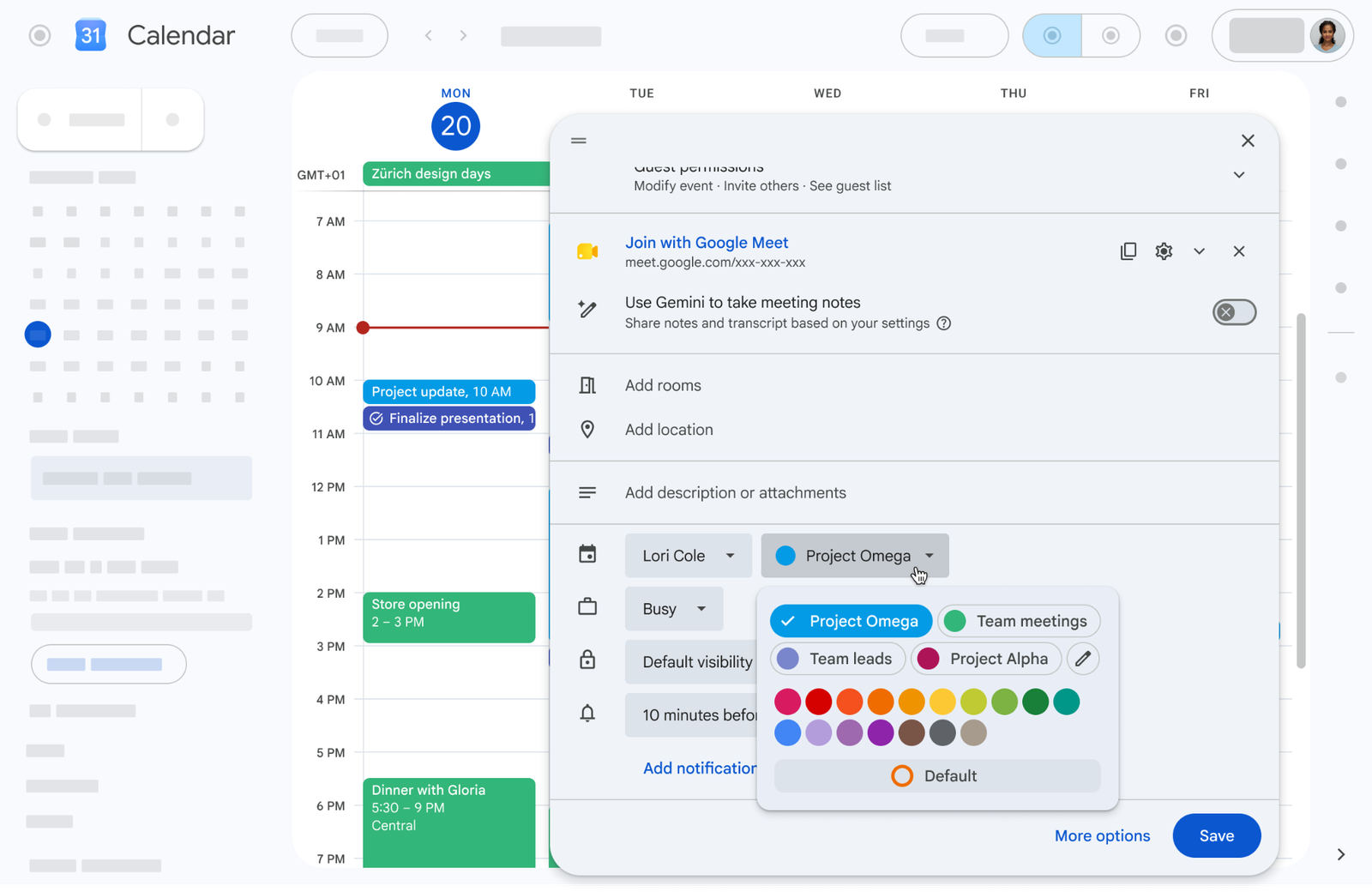

Google Calendar expands its customization options by moving beyond the previous limit of 11 predefined colors, now offering an extended palette of up to 200 custom colors per event. This feature is available across the native web version, mobile apps, and the Calendar API, directly addressing the operational needs of both professional and personal users.
How to set up the new colors in your corporate calendar
This feature is activated automatically and requires no additional configuration from system administrators. To implement it in your daily tasks, follow these steps:
- Open Google Calendar on your device and create a new event or select an existing one to edit.
- Click on the color circle assigned to the event to display the customization options.
- Select from the 24 default colors displayed directly in the menu.
- Define additional shades if you are on the web version by using the full RGB color picker to enter the exact code you need from the 200 available options.
G Nerd Recommendation: Use your brand’s specific RGB codes to unify your organization’s calendar and project a professional image across all your business interactions.
Availability
This update is available to all Google Workspace customers, Workspace Individual subscribers, and personal Google account users.
Take your company’s infrastructure to the next level
Setting up technological tools is the first step, but aligning your entire team under a single strategy optimizes your business outcomes. At G Nerd, we provide Google Workspace licensing with specialized support in Spanish and train your staff to efficiently master Calendar, Drive, and Gmail.

