
In this article, as Google Workspace experts, we show you three tools that will help you make the most of Google Drive and stay ahead of the curve.
Instant video playback: say goodbye to waiting
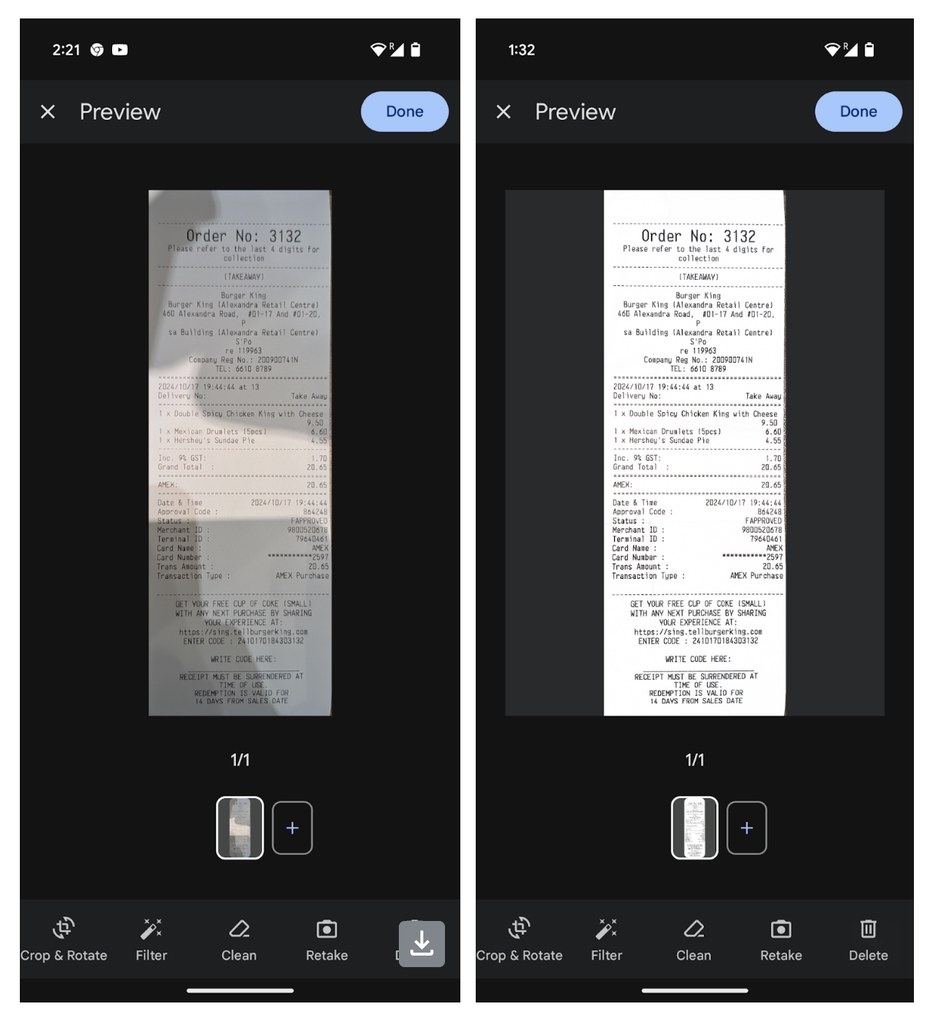
Sharper, clearer scans in the Google Drive mobile app
One option is to apply black-and-white filters to scans with the help of Google Photos. This tool allows you to highlight key elements, create dramatic effects, give a vintage touch, or simplify a photo’s composition by removing color distractions.
Unseen file digest: stay up to date effortlessly

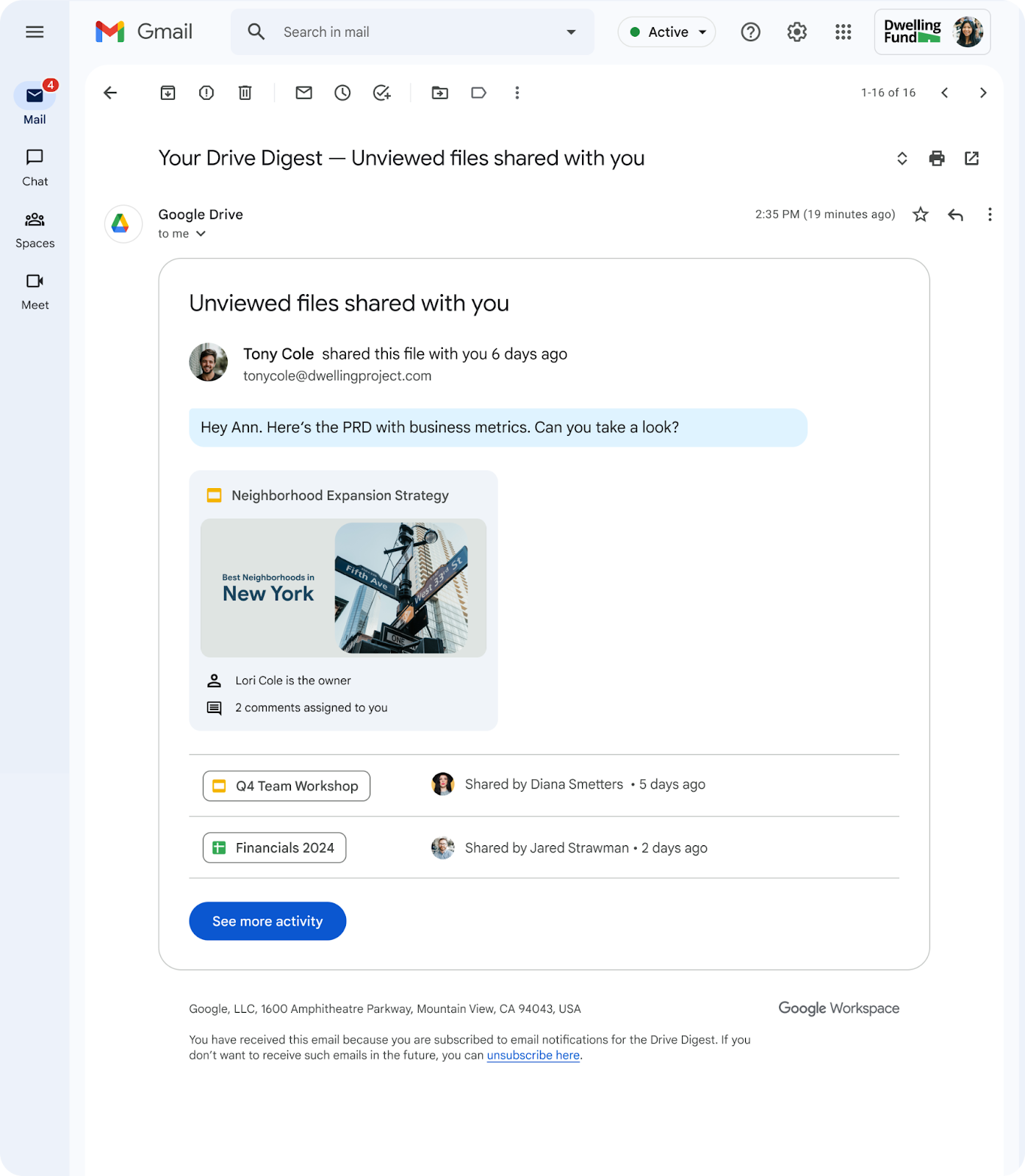
Email can be a torrent of information, and it’s easy to miss important files shared with you. To solve this problem, Google Drive implemented a digest email feature that notifies you about shared files you haven’t viewed yet.
This tool is especially useful for users who have been inactive in Drive for seven days, as the system sends them a summary with the pending shared files to review.
The email includes a direct link to the Drive “Activity” page, where you can view more details and access all files. With this feature, you can rest assured that you won’t overlook any important document, improving collaboration and ensuring your team is always on the same page.
Need help implementing these tools in your company?
At G Nerd, we are expert consultants in Google Workspace. If you want to optimize your team’s productivity, train them on using these and other tools, or migrate your business to a more efficient work environment, contact us! We will help you integrate these solutions so your team can work smarter and more productively.
Resources
-
- Google Workspace Updates Weekly Recap – December 20, 2024
- Google Workspace Updates Weekly Recap – December 13, 2024
- Stay on top of shared Drive files with automatic digest emails
- How to Understand Videos in Google Drive with the Help of Gemini?
- Master Gemini: Summarize and Search with AI in Gmail and Drive
- Gemini in Drive and the new PDF viewing experience


One Comment