

Email remains the business communication channel par excellence. However, drafting follow-up emails, compelling business proposals, or delicate responses to unsatisfied customers consumes a massive amount of hours per week. In fact, a large part of creative block in offices occurs right in front of an empty inbox.
To solve this, Google integrated “Help me write” into Gmail, a feature powered by Gemini’s Artificial Intelligence. At G Nerd, we explain step-by-step how to use it, the benefits it brings to your business, and practical examples to get the most out of it.
What is “Help me write” in Gmail?
It is a generative AI writing assistant that lives directly within your Gmail compose window; capable of drafting complete emails from scratch, replying to long message threads by contextualizing the conversation, and changing the tone of a draft in a matter of seconds.
Step by Step: How to use AI to draft emails
Its use is highly intuitive and is designed to naturally integrate into your team’s routine:
- Open a compose window: Click the “Compose” button for a new email, or select “Reply” in any existing conversation.
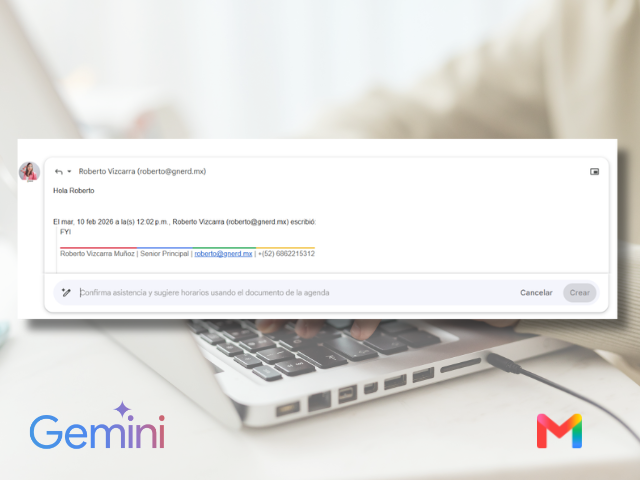
- Activate the assistant: Look for the icon shaped like a magic wand with a star (the Gemini logo). If the email is completely empty, you will also see a floating button that says “Help me write”.
- Write your instruction (Prompt): Enter a brief indication of what you need. For example: “Write a formal email canceling tomorrow’s meeting and propose Thursday at 4 PM”.
- Generate and review: Click “Create”. In a couple of seconds, Gemini will offer you a complete draft.
- Adjust the result: If the email is not perfect on the first try, you can use the dropdown menu to refine it with a single click:
- Formalize: Change the style to a more corporate one.
- Elaborate: Add more details and body to the text.
- Shorten: Get straight to the point if it turned out too long.
- Insert the text: When you are satisfied, click “Insert” and the email will be ready to be sent.
Benefits for Businesses
Implementing “Help me write” in your company’s organizational culture offers immediate competitive advantages:
- Time savings: Writing tasks that used to take 15 or 20 minutes are now resolved in less than 60 seconds, freeing up time for strategic and sales activities.
- Consistency and professionalism: It ensures that all employees, regardless of their writing skill level, communicate with clients and suppliers using a polished, professional tone without grammatical errors.
- Eliminating writer’s block: Starting an email from a blank page is what takes up the most time. With this feature, your team will always have a solid baseline draft to work with.
- Agile responses: Writing long emails from a mobile phone is usually tedious. Thanks to the integration of this feature in the Gmail mobile app, responding thoroughly and professionally while on the go is extremely simple.
3 Short Examples of Day-to-Day Use
To see the real potential of this tool, here are three common scenarios where Gemini does the heavy lifting:
- Sales Follow-up (Persuasive Tone)
- Instruction for Gemini: “Write a friendly follow-up email for a client who saw our software demo last week, offering a 10-minute call to answer questions.”.
- Response to an Unsatisfied Customer (Empathetic and Formal Tone)
- Instruction for Gemini: “Respond to this customer apologizing for the delay in the delivery of their order, inform them that it will arrive tomorrow, and offer a 10% discount on their next purchase.”.
- Internal Meeting Call (Direct and Clear Tone)
- Instruction for Gemini: “Draft a brief email for the marketing team announcing that the monthly meeting is moving to Friday at 10:00 AM via Google Meet, and instruct them to have their reports ready.”.
How to activate “Help me write” in your organization?
This functionality is available for the following Google Workspace editions:
- Business Starter
- Business Standard
- Business Plus
- Enterprise Standard and Plus
If you want your team to start writing emails intelligently and boost their productivity starting tomorrow, at G Nerd we take care of everything. We advise you on choosing the right licenses, perform the technical setup, and train your staff.
Speak with a G Nerd expert today and take your company’s communication to the next level with the power of Google Workspace and Gemini.


One Comment