
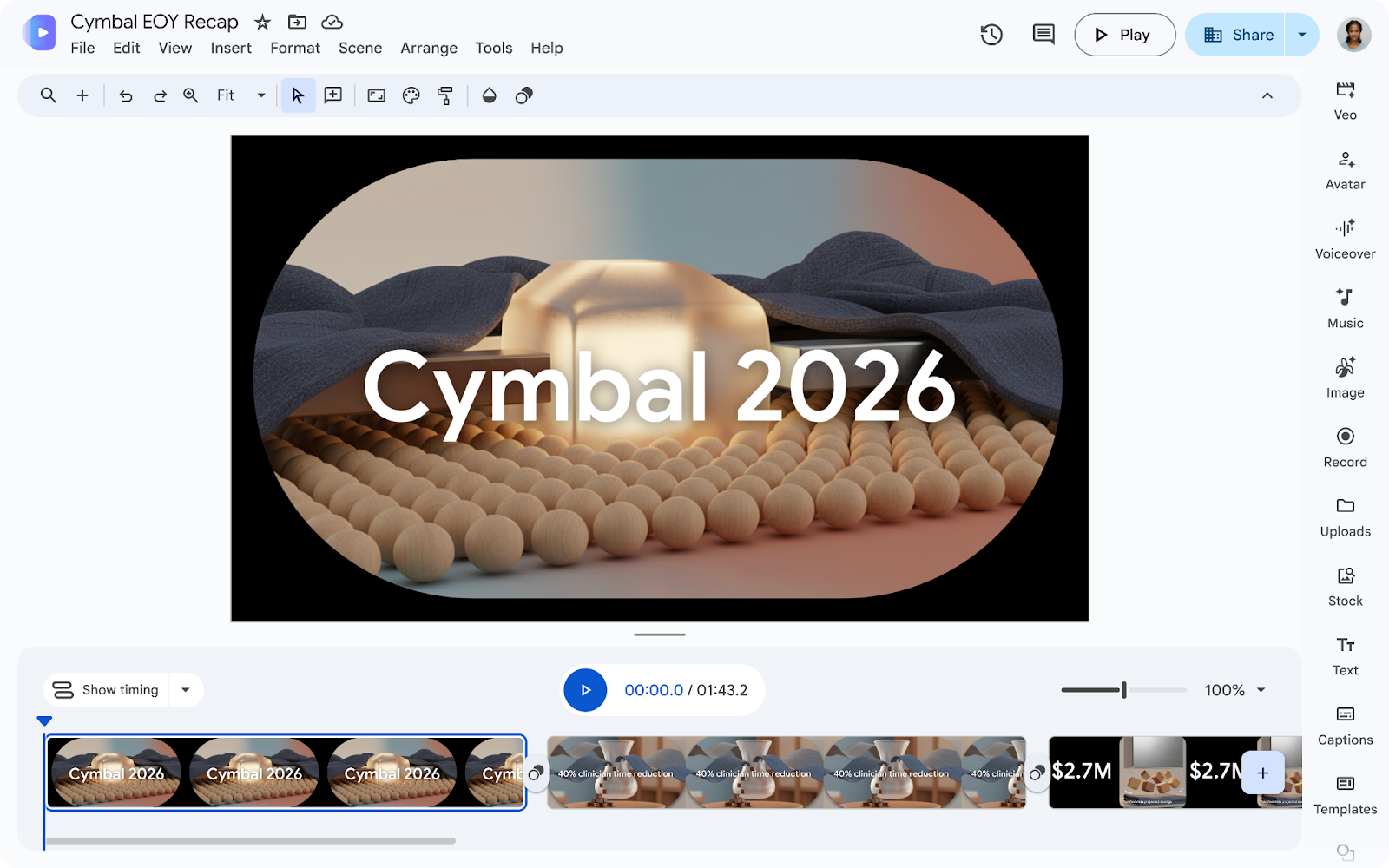

Reviewing lengthy reports, training guides, or detailed meeting minutes consumes valuable time in any team’s daily routine. To transform the way we consume and share corporate information, Google introduces a new feature in Google Vids: the ability to convert Google Docs, PDF, and Microsoft Word files into automatic video summaries.
Simplify data assimilation with artificial intelligence
The goal of this update is to make absorbing dense content an agile and engaging process. Instead of requiring people to read dozens of pages, Google Vids analyzes the uploaded text to extract key ideas and structure a complete video production.
The platform uses Gemini’s generative artificial intelligence to:
- Write an automatic script: Breaks down the document into logical sections that become standalone scenes.
- Generate voiceover narration: Adds high-quality synthetic voices in multiple languages to narrate the content.
- Design custom visual assets: Assigns backgrounds, transitions, and graphic elements tailored to the file’s topic.
Step-by-step guide: How to convert your documents into video
The process for transforming your text files into audiovisual summaries is fast and intuitive:
- Go to Google Vids from your web browser (vids.new).
- In the File menu, click Convert Docs.
- Select the document you want to process (supports .doc, .docx, and .pdf formats, as well as Google Docs files).
- Before generating the final piece, you can edit the text for each scene, delete snippets, or select your preferred AI voice for the narration.
- Click Generate. Once processed, you can edit the result, share the link with your team, or export the MP4 file.
Key use cases for your company
Integrating document-to-video conversion into your workflows provides immediate competitive advantages:
- Training and Onboarding: Transform process manuals or operational guides into brief explainer videos for new team members.
- Reports and executive minutes: Turn quarterly reports or meeting summaries into short informative videos for leadership.
- Business proposals: Present market analyses or project drafts to clients in an easy-to-digest audiovisual format.
Availability and account requirements
This feature does not require complex configurations by IT administrators and is available for organizations with compatible Google Workspace licenses, such as:
- Business editions: Starter, Standard, and Plus.
- Enterprise editions: Starter, Standard, and Plus.
- Education editions: Education Plus and Google AI Pro for Education add-ons.
- Other editions: Nonprofits and consumer plans with compatible Gemini/Google AI subscriptions.
Optimize your organization’s communication with G Nerd
Leveraging artificial intelligence to turn static content into audiovisual assets accelerates decision-making and professionalizes your company’s internal communication. At G Nerd, we guide your team through the strategic adoption of Google Workspace licenses, cloud security policy setup, and continuous training in its tools.


One Comment