
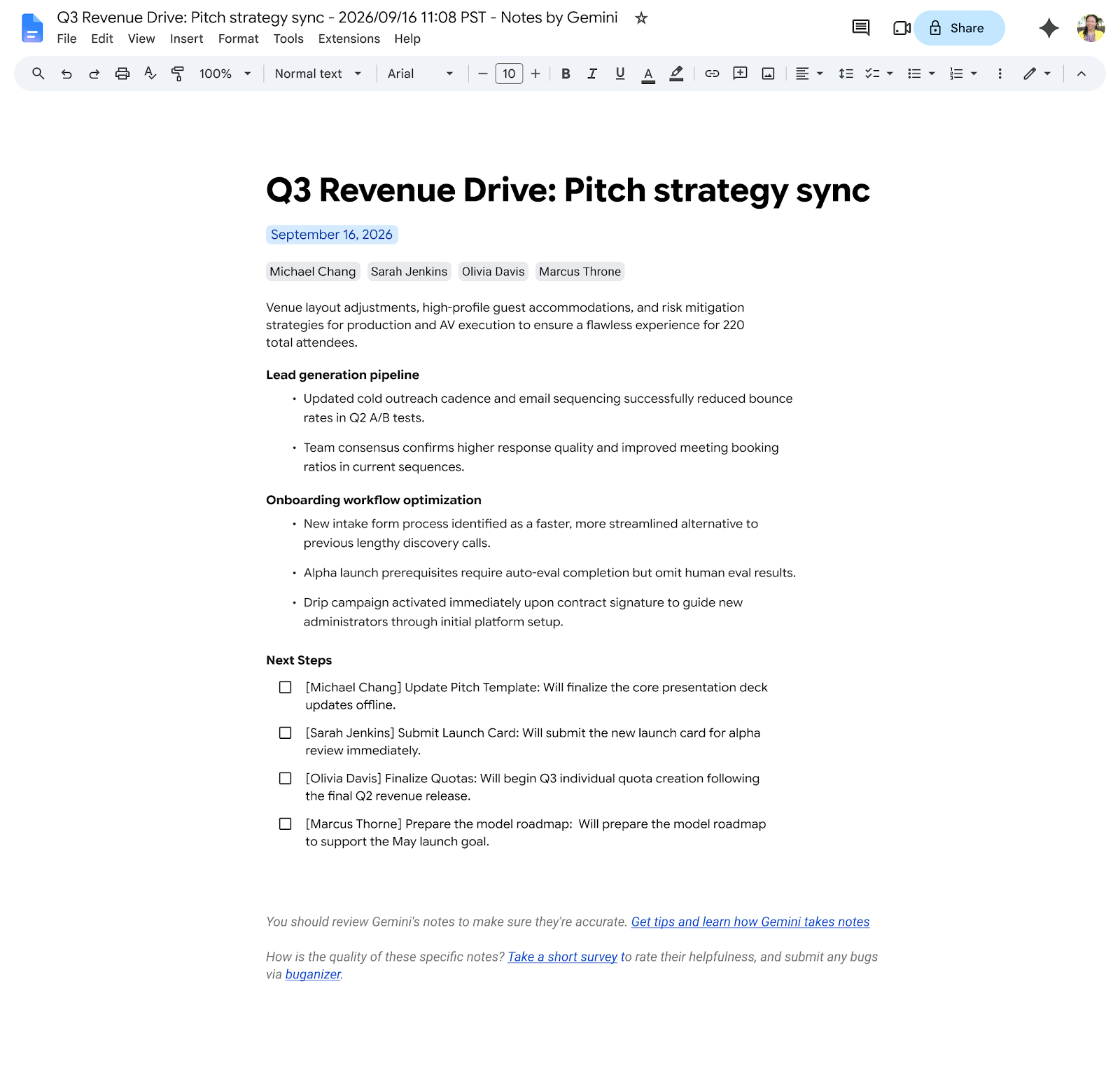

Reviewing lengthy meeting minutes after a day filled with video calls can become an exhausting task, especially for leaders and executives who need to identify key agreements in seconds. To speed up the adoption of agreements and optimize post-meeting productivity, Google is updating Gemini AI by introducing Quick notes within the “Take notes for me” experience in Google Meet.
What Quick notes are and how they work
Until now, the “Take notes for me” feature generated a comprehensive Google Docs document with contextual transcription and detailed call notes.
With the addition of Quick notes, Gemini synthesizes the entire conversation into a high-level summary strictly focused on the meeting’s fundamental aspects:
- Action items: Concrete agreements and assigned initiatives during the video call.
- Outcomes: Operational or strategic decisions made by participants.
- Talking points: Essential topics covered during the session.
All of this content is structured on a single page, specifically designed for fast and efficient reading.
Direct integration into Google Docs and email
To ensure information reaches each user in the most accessible way, the feature is positioned as the default experience across two key touchpoints:
- New default tab in the notes document: When opening the automatically generated meeting Google Doc in Google Drive, you will see a structure organized into two tabs:
- Quick notes tab (default): The synthesized, one-page view with the essentials.
- Full notes tab: Retains the traditional full format with extended context and deep details when an in-depth review is needed.
- Executive summary in post-meeting email: If you review your meeting notes on a mobile device or on the go, the recap email sent after the call ends will display Quick notes directly in the message body. This lets you digest key points before deciding whether to open the full document.
Designed for agile decision-making
This update benefits various roles across the organization:
- Executives and team leaders: Get direct access to decisions and task assignments without sifting through long background paragraphs.
- Operations teams: Quickly confirm next steps and assigned milestones immediately after hanging up.
- Absent participants: Catch up easily on overlapping meetings in just a couple of minutes.
Availability
- Business: Standard and Plus
- Enterprise: Standard and Plus
- Other editions: Frontline Plus
- Add-ons: Google AI Pro for Education, Google AI Pro and Ultra
Optimize your company’s time and meetings with G Nerd
Leveraging artificial intelligence to automate meeting capture and synthesis allows your teams to focus on conversation and accelerate project execution. At G Nerd, we guide you through strategic Google Workspace licensing, cloud security management, and ongoing employee training.

