
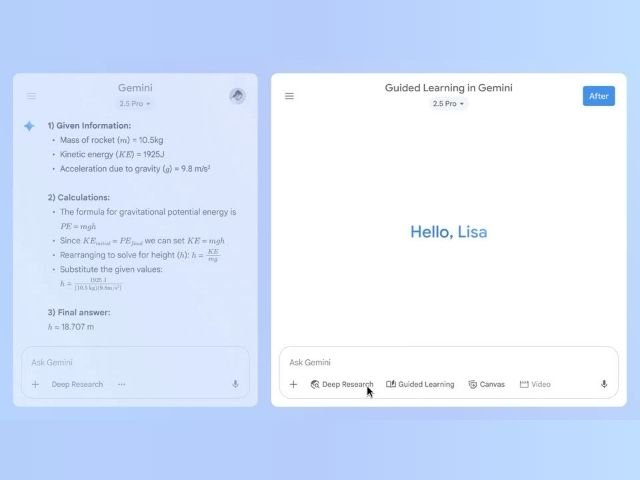

Continuous staff training is a critical factor for the growth of any business; however, designing and structuring study materials usually requires a significant amount of time. To address this challenge, Google has integrated advanced learning and training tools into the Gemini web app. This technology allows teams to master new technical skills, analyze complex concepts, and review internal procedures supported by interactive content, educational outlines, and multimedia resources.
The 3 Key Functions of Gemini for Corporate Training
The Gemini platform acts as a permanently available corporate tutor through three main capabilities:
1. Guided and Interactive Learning
Instead of limiting its response to a generic summary, Gemini breaks down complex technical concepts into sequential steps. The AI guides the employee through a structured dialogue to ensure a complete understanding of a topic or internal process.
2. Quizzes and Study Guides in Canvas
Through the interactive workspace (Canvas), users with enabled corporate accounts can generate multiple-choice quizzes, short-answer exams, and assessment guides directly based on the organization’s operating manuals.
3. Multimedia Content Integration
To reinforce information retention, Gemini can integrate explanatory diagrams and relevant audiovisual resources (such as educational YouTube videos) into its response flows.
Security and IT Configuration Note: For YouTube audiovisual resources to display correctly in Gemini’s responses, the domain administrator must enable the YouTube service in the Google Workspace Admin Console. Subsequently, the end user must verify that the connected app is active in their Gemini preferences panel.
Availability and Compatible Google Workspace Licenses
Educational and guided learning features with AI are available by default depending on the subscription type configured in the company:
| License Category | Google Workspace Plans Including Gemini |
|---|---|
| Business Plans | Business Starter, Business Standard, and Business Plus. |
| Enterprise Plans | Enterprise Starter, Enterprise Standard, and Enterprise Plus. |
| Specialized Plans | Frontline, Essentials, Nonprofits, and Google Workspace for Education. |
3 Steps to Structure a Training Module with Gemini
To implement an effective training session using Gemini in your organization, follow this practical methodology:
- Upload source manuals: Enter your company’s operating guides or documents into the workspace to provide the necessary technical context.
- Enter a clear prompt: Ask the AI to create a learning path.
- Prompt example: “Act as a technical instructor. Generate a step-by-step training plan on [Process Name], including 5 multiple-choice questions to evaluate comprehension.”
- Evaluate and provide feedback: Use the responses generated in Canvas to review key concepts with your team prior to actual execution in their work areas.
Train Your Team and Safely Adopt AI with G Nerd
Adopting Google’s Artificial Intelligence in daily operations goes beyond activating a license; it requires staff to learn how to structure precise prompts and for the organization to ensure the privacy and governance of its sensitive data.
At G Nerd, we accompany you throughout the entire process: from consulting for the acquisition and implementation of Google Workspace licenses, to practical training for your employees in the efficient use of Gemini.

