
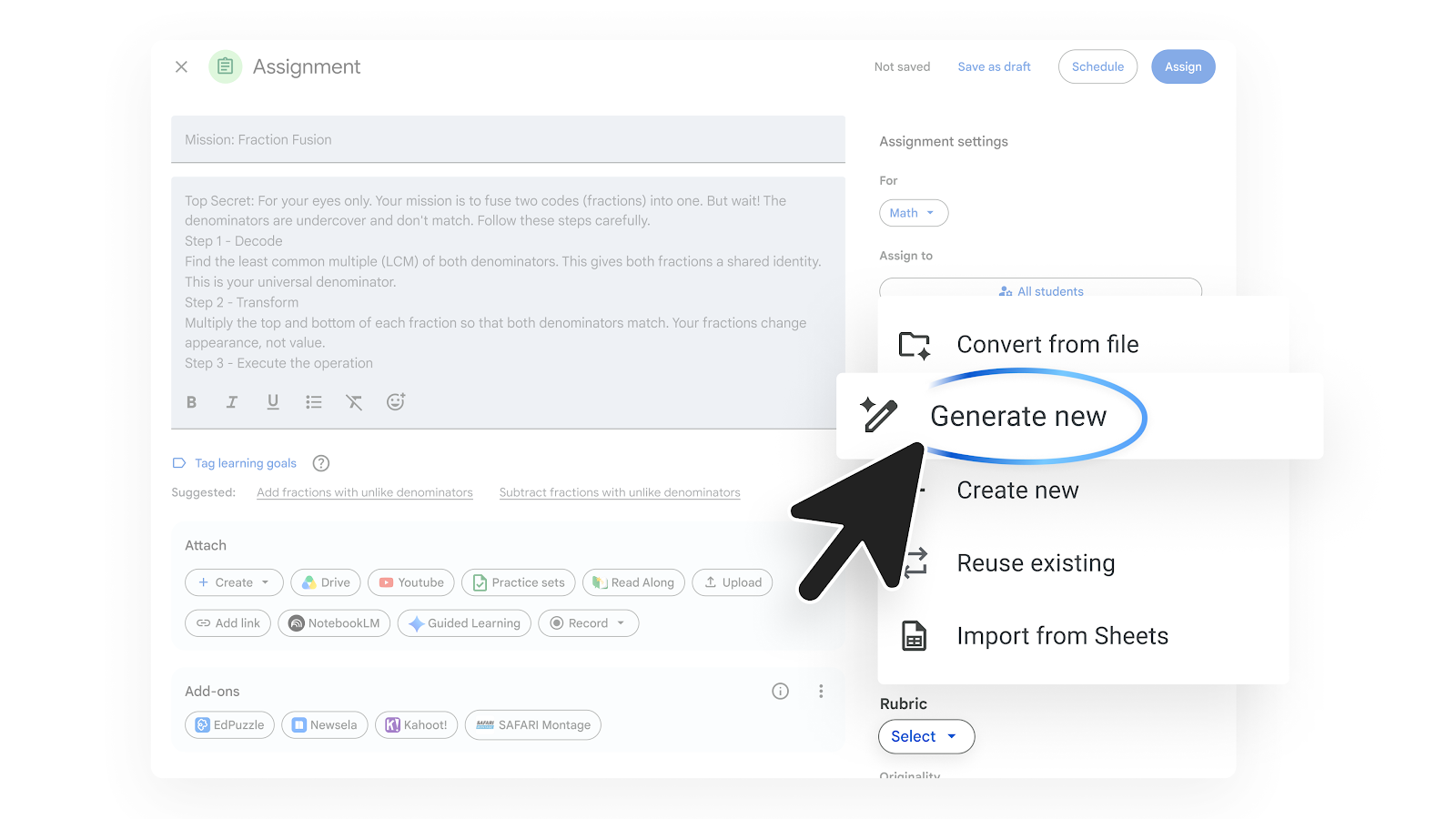

Designing detailed evaluation criteria is one of the most time-consuming operational tasks for educators and academic administrators. To simplify this work, Google integrates the capability to automatically generate rubrics using Gemini AI directly within Google Classroom.
Simplifying the evaluation process with AI
Creating an evaluation matrix with performance levels and specific criteria usually requires hours of manual drafting. With this update, Gemini analyzes the instructions and context of an assigned task in Google Classroom to build a complete rubric proposal in seconds.
The system structures the assessment by automatically defining:
- Key criteria: Identifies core aspects to evaluate based on the assignment’s topic.
- Performance levels: Sets achievement scales (for example: excellent, satisfactory, needs improvement).
- Detailed descriptors: Writes clear explanations of what students must achieve to reach each level.
Simplified AI-assisted rubric creation
- On a computer, go to Google Classroom.
- Select a class.
- Click the assignment.
- On the right, click Rubric > Generate new.
- Add the grade level and performance levels.
- You can select Add from Drive > Select a file.
- Describe the knowledge or skills you want students to demonstrate.
- Alternatively, you can select Enter instructions.
- Add the assignment instructions.
- Describe the knowledge or skills you want students to demonstrate.
- Click Generate criteria.
- Review or modify the rubric criteria, then click Generate rubric.
- To edit the rubric, you can do the following (optional):
- Turn Use scoring on or off
- Sort points in “descending” or “ascending” order
- Edit titles, descriptions, or criteria levels
- Add a criterion
- In the top right, click Save.
Benefits for institutions and teaching staff
- Significant time savings: Drastically reduces hours spent manually layouting evaluation matrices.
- Pedagogical clarity for students: Provides transparent expectations right from the start, helping students understand exactly how their work will be evaluated. More objective and consistent grading: Standardizes grading parameters across different groups and subjects.
- Full pedagogical control: The AI draft serves as a flexible starting point; teachers retain complete authority to edit and adapt criteria according to their curriculum at all times.
Availability in Google Workspace for Education
This update is designed to empower educational communities and is available for institutions with Google Workspace for Education licenses that have the Gemini Education or Gemini Education Premium add-ons.
Empower your teaching staff with G Nerd
The effective adoption of artificial intelligence in education requires strategic guidance. At G Nerd, we don’t just manage your Google Workspace for Education licensing; we also provide specialized training so your teachers can master Google’s AI tools and transform their classroom workflows.

