
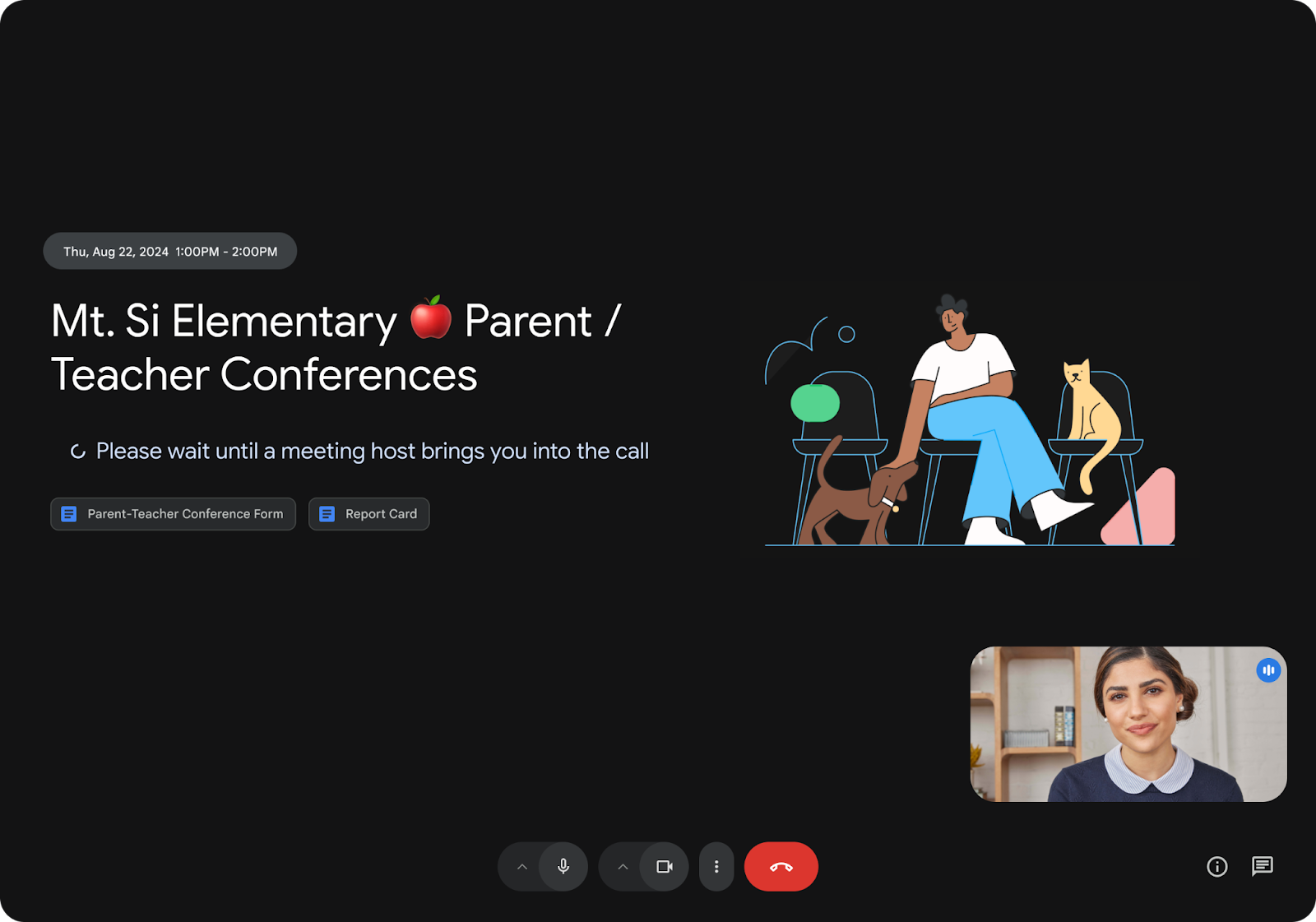

In today’s business world, professionalism and security in our virtual meetings are fundamental pillars. Today we want to talk to you about one of the most anticipated and requested features by users: Waiting Rooms in Google Meet.
This update marks a turning point in how hosts manage their sessions, providing a new level of control.
What are Google Meet waiting rooms?
A waiting room is a virtual space where participants wait before being admitted to the main meeting. Far from being a simple “limbo,” it is a strategic tool that allows organizers to prepare the call environment without unexpected interruptions.
Key features of this update:
- Selective access management: Hosts and co-hosts can admit or deny entry to participants individually or in bulk.
- One-way announcements: Are you running 5 minutes late from a previous session? Now you can send a chat message to everyone in the waiting room to let them know, keeping communication fluid without opening the meeting.
- Return to the waiting room: If you need to discuss something private with a subgroup of attendees, you can move specific participants back to the waiting room and readmit them when necessary.
- Confirmation for the guest: Attendees will see a clear message confirming they are in the right meeting and that the host will receive them soon, eliminating the uncertainty of “did my connection drop?”.
Benefits for your company
For a consultancy or any business handling sensitive information, this feature is vital for three reasons:
- Security and Privacy: Prevents unauthorized access before the team is ready. It is ideal for job interviews, board meetings, or legal consultations.
- Professionalism: Allows the host to set up their presentation, check their audio, and share their screen before clients enter.
- Interruption reduction: No more “someone wants to join” sounds in the middle of an important sentence; you decide when the timing is right to open the virtual door.
How to activate it?
As administrators or Workspace users, you can enable this feature directly from Google Calendar when creating or editing an event. In the video call settings, you will find the new “Waiting room” tab. Remember that, by default, this option may be disabled depending on your Workspace domain settings.

Availability
This feature is rolling out to Business Standard and Plus, Enterprise (all levels), Education Plus, and Workspace Individual subscribers.
At G Nerd, we are ready to help you make the most of these tools. If your company doesn’t yet have the advantages of Google Workspace or you need to optimize your current setup, contact us! Your productivity can’t wait.