
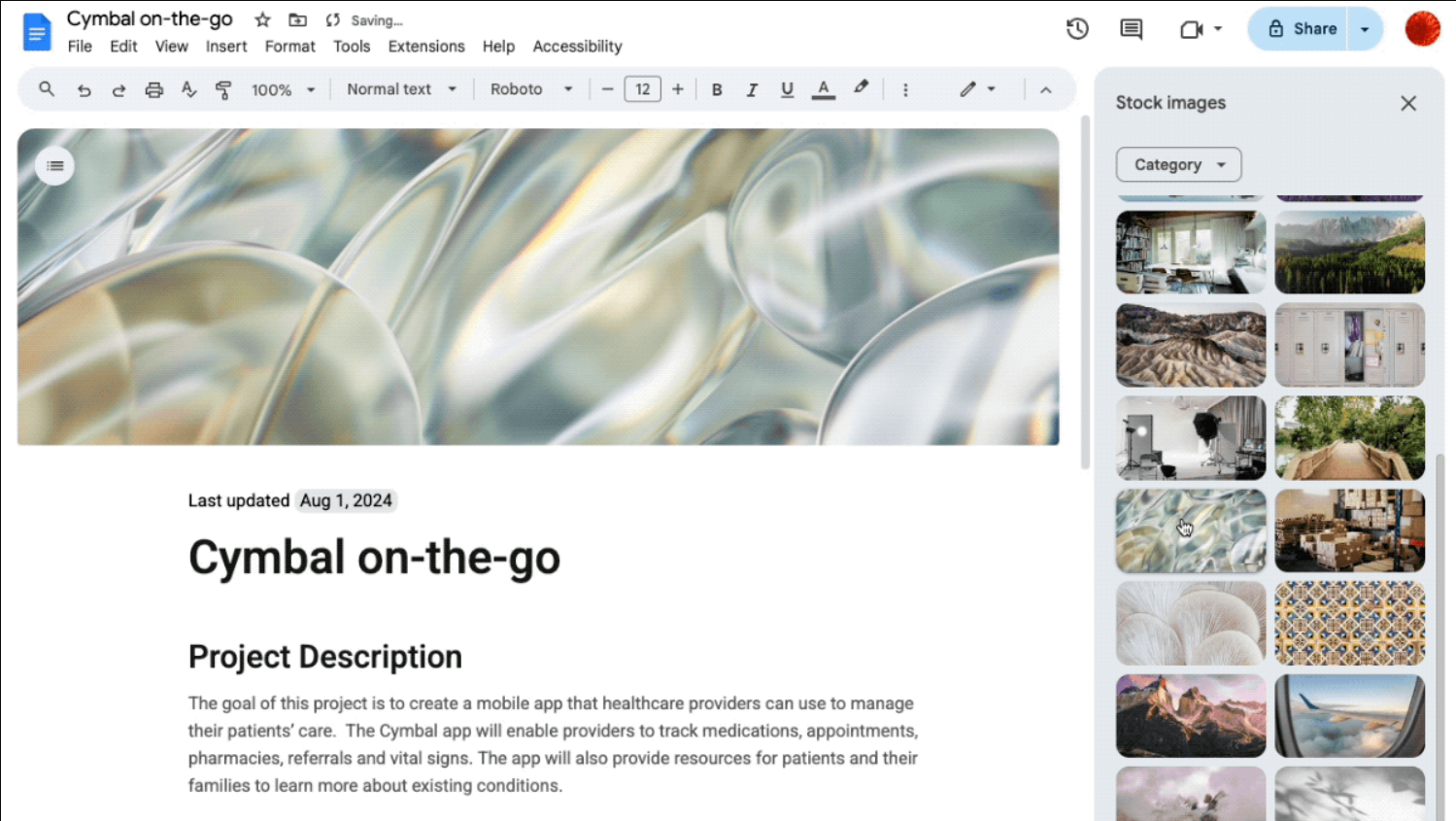
Google Docs is much more than a simple word processor. It is the ultimate collaborative tool that has revolutionized the way teams create, edit, and share documents. Whether you’re working on a detailed report, a project plan, or a document for a client, Docs helps you be more efficient. And with its constant updates, there is always something new to learn to take your productivity to the next level.
This time, Google has launched a series of features that will allow you to create more comprehensive, organized, and visually appealing documents. Read on to discover them!
Create documents intelligently with “Help me create”
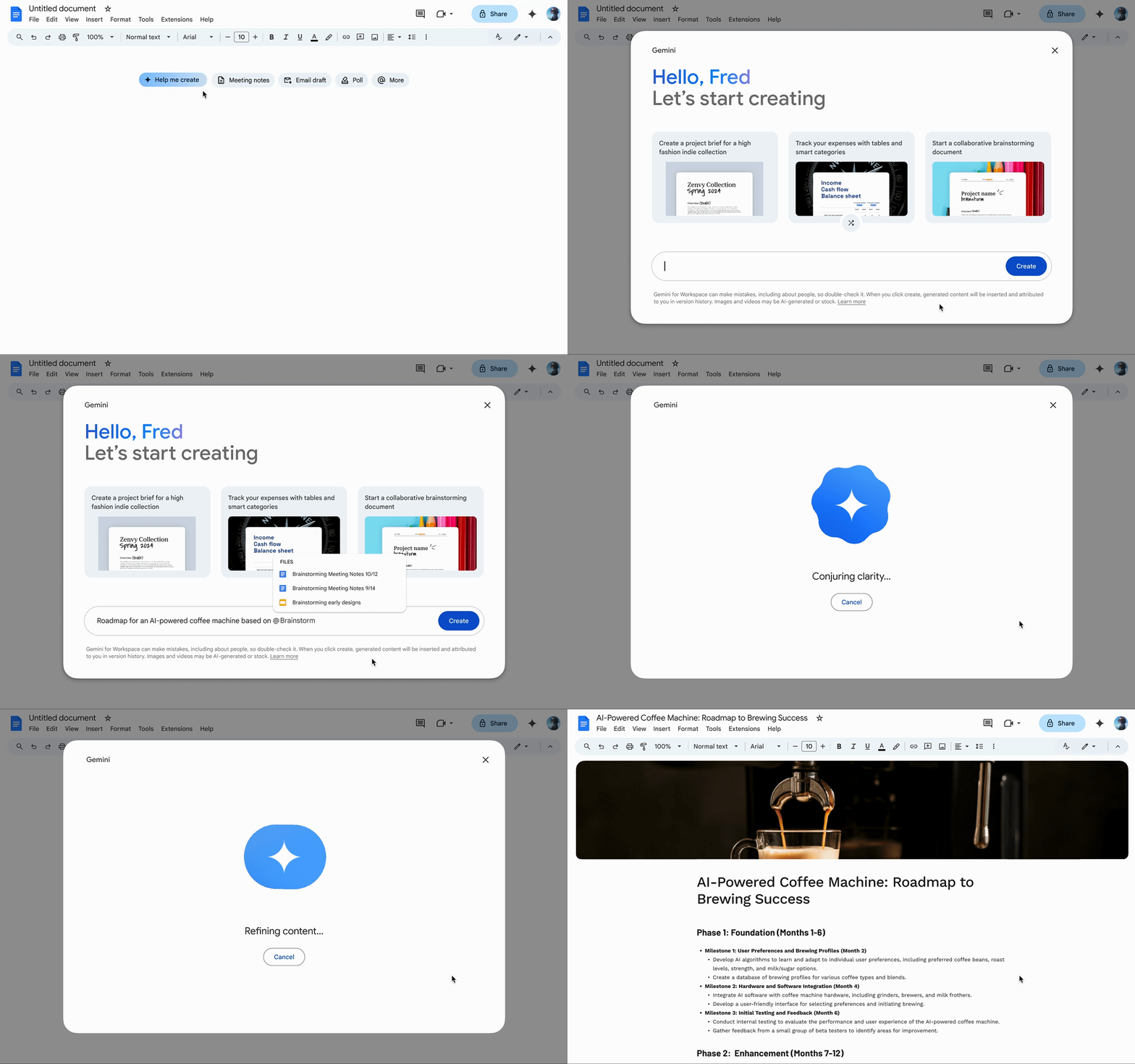
This innovation saves you valuable time during the structuring phase, allowing you to focus on refining the content. To get started, simply click on “Create” at the top of a new document or go to File > New > Help me create. It’s an incredible way to jumpstart your projects, from a marketing plan to a business proposal.
Customize your documents with professional cover images
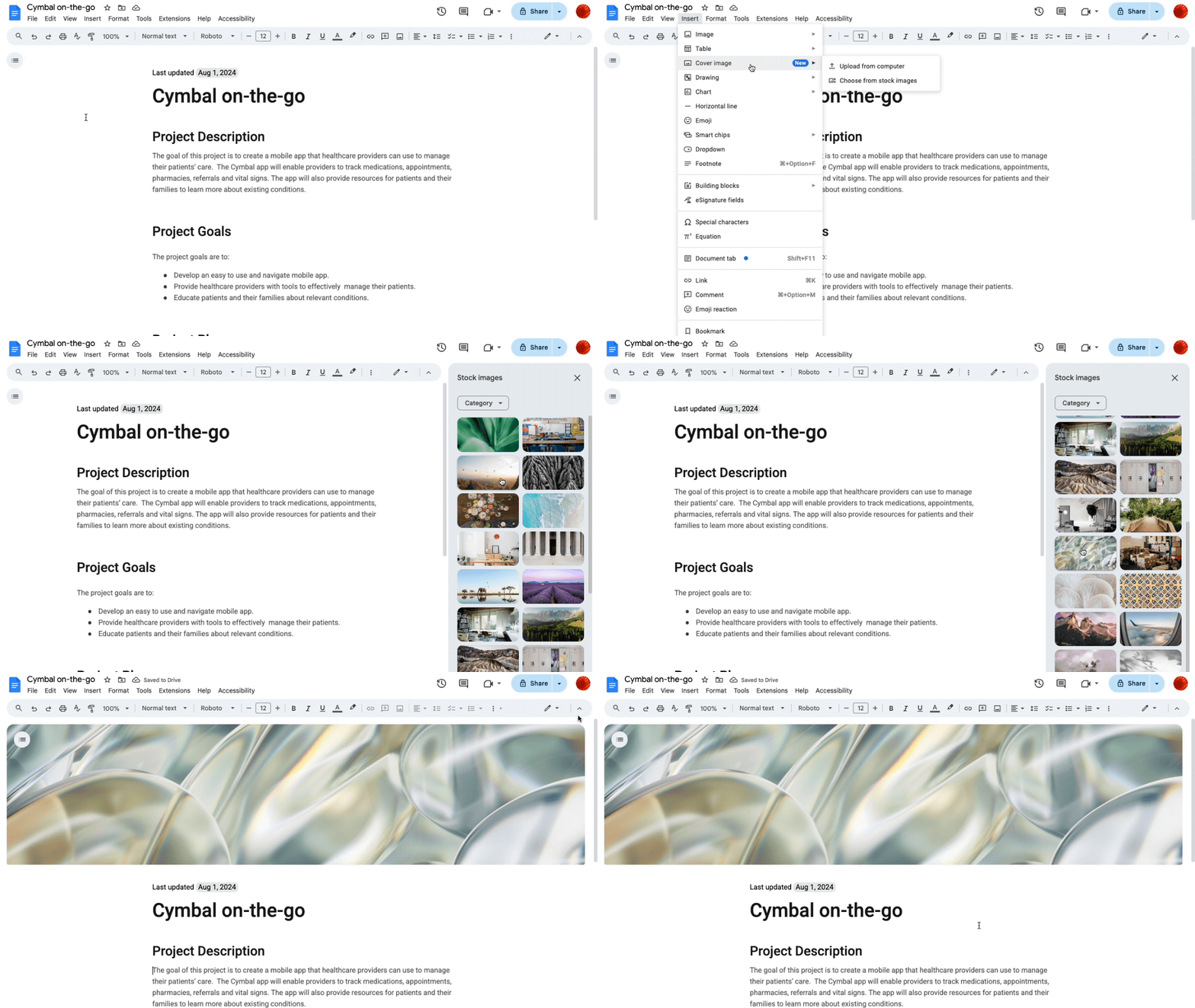
Whether you are preparing an onboarding guide for new employees, a virtual brochure, or a presentation for an important client, you can choose an image from Google’s gallery or upload your own to give it a unique, personalized touch. This not only enhances aesthetics, but also helps identify and organize your documents at a glance.
Keep things organized with new tabs in your documents
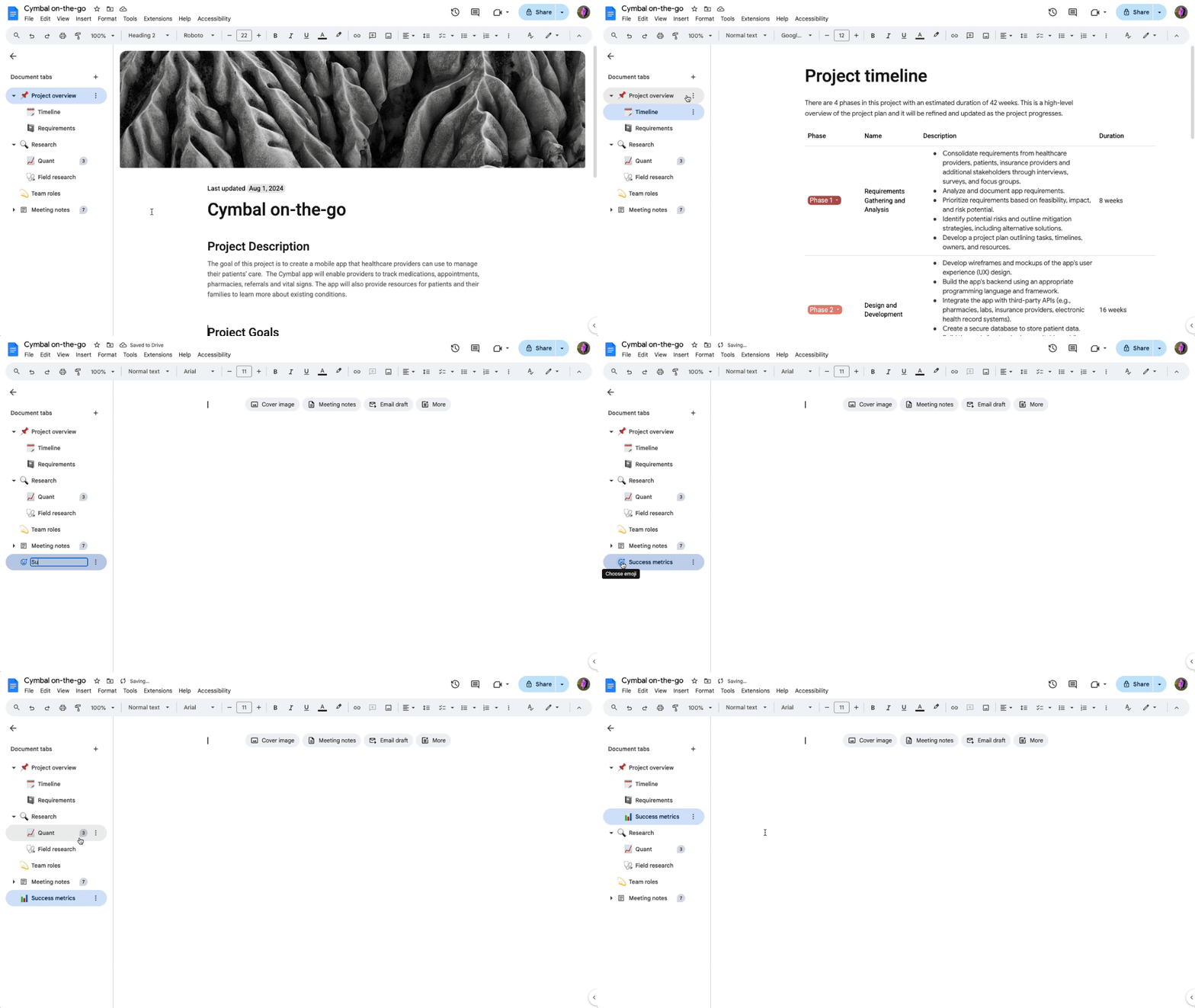
Tabs are perfect for professionals who need to organize key information for their teams, such as marketing managers or sales leads. They can use them to separate data, strategic plans, or task lists, keeping everyone focused and well-informed. Plus, if you need an even more detailed structure, you can create subtabs within the main tabs.
With these updates, Google Docs solidifies its position as an essential tool for collaboration and productivity. At G Nerd, we are convinced that these new features will help you streamline your workflows and create higher-quality documents more efficiently.
Want to learn more about how to make the most of these and other Google Workspace tools? Contact us and our team of experts will help you find the perfect solutions for your business.
Resources
-
- Create fully stylized documents using Gemini in Google Docs
- Customize your Google Docs with polished cover images
- New document tabs in Google Docs provide a better way to organize your documents
- Google Docs Tabs: Organize your work like a pro
- 40 new templates in Google Docs
- Create images with Gemini in Google Docs

