
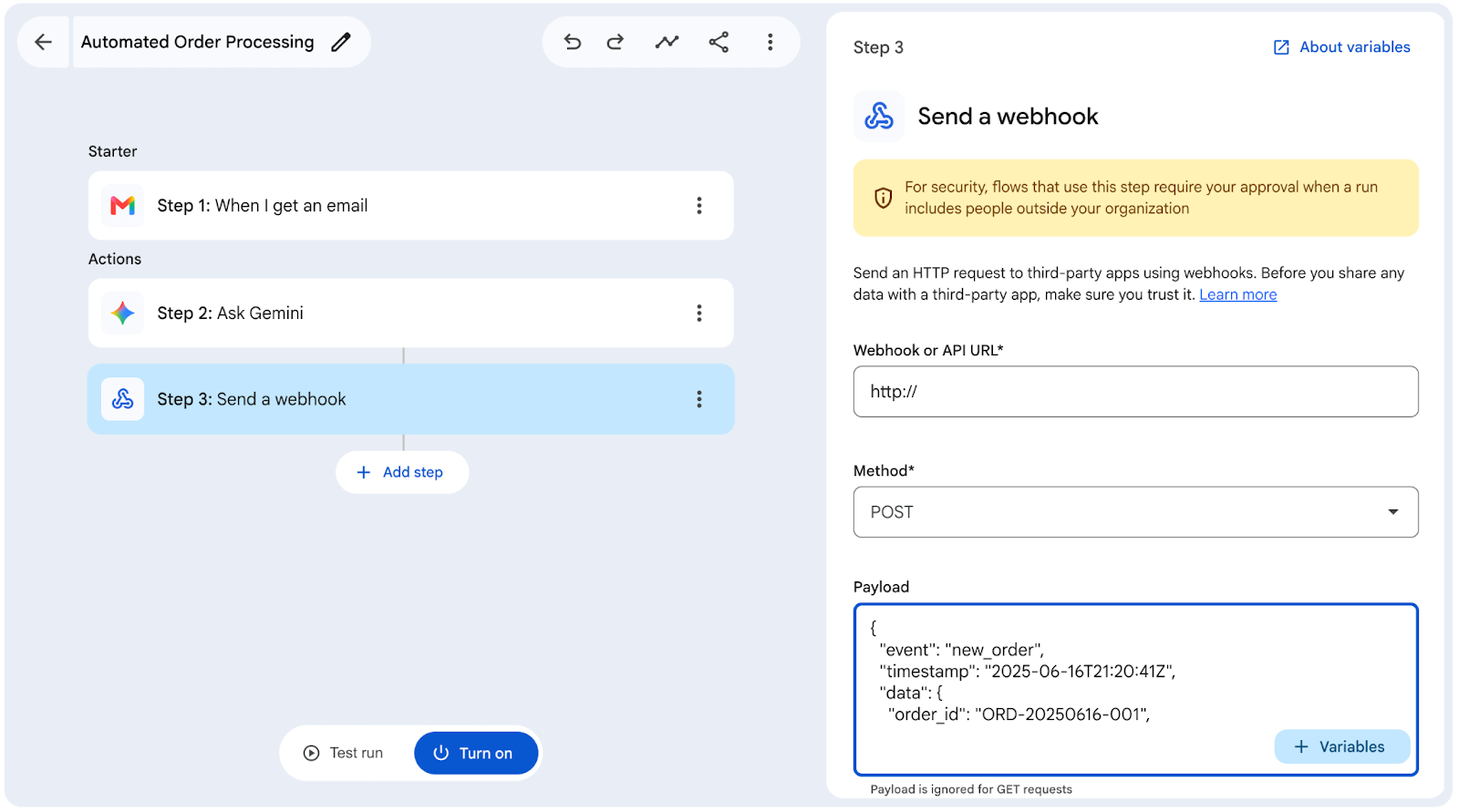
Taking corporate automation to the next level requires connecting daily work applications with the external tools used by each department. To expand integration capabilities across organizations, Google updates Workspace Studio, introducing advanced templates, custom starters and steps, third-party connectors, and webhook support.
1. Custom starters and steps for advanced logic
Designing tailored processes requires technical flexibility. To address complex operational needs, Workspace Studio allows you to build components tailored to your company’s infrastructure:
- Custom starters: Create and publish custom triggers in real time to execute workflows based on events originating from other applications.

- Custom steps: Design and execute custom logic (for example, using Google Apps Script) to adapt workflow actions to your organization’s most advanced business rules.

2. Native third-party integrations
Modern operations do not rely exclusively on a single software suite. To avoid data fragmentation, Workspace Studio adds native integrations with third-party applications, allowing actions and triggers to execute tasks directly in external systems without leaving the Google environment.
Among the featured integrations mentioned by the platform are:
- Asana
- Confluence
- Hubspot
- Jira
- Mailchimp
- Quickbooks
- Salesforce
- Slack

3. Webhooks: Universal connection with any system
For tools without native integration or custom-built proprietary systems within the company, Workspace Studio adds support for Webhooks.
Thanks to webhooks, any external platform can send an HTTP signal to trigger a workflow in Google Workspace (Incoming Webhooks), or a step in Workspace Studio can send real-time information to an external API (Outgoing Webhooks). This opens the door to complex automations, such as connecting a local billing system, an ERP, or an internal database with Google’s cloud ecosystem.

Account requirements and administration
These advanced automation and integration capabilities require compatible Google Workspace licenses and are subject to organizational security controls:
Compatible Google Workspace Licenses
- Business: Starter, Standard, and Plus
- Enterprise: Standard and Plus
- Education: Fundamentals, Standard, and Plus
- Add-ons: Google AI Pro for Education; Teaching and Learning, Expanded Access to AI
*Webhook allowlist functionality is available for Business Plus; Enterprise Standard and Enterprise Plus; Education Standard and Education Plus.
Admin controls
- These features are OFF by default. Admins can enable them in the Workspace Admin Console under Apps > Google Workspace > Workspace Studio:
- Custom step settings
- Integration settings
- Webhook settings
- Admins can change human approval requirements in the Workspace Admin Console under Apps > Google Workspace > Workspace Studio > Approvals. Custom steps and integration have their own approval settings, while webhooks respect sensitive step approval settings.
Optimize your company’s automations with G Nerd
Connecting your operational tools through Workspace Studio reduces human error, speeds up customer response times, and frees up valuable time for your teams. At G Nerd, we guide your organization through process architecture design, third-party system integration, and continuous team training.

