
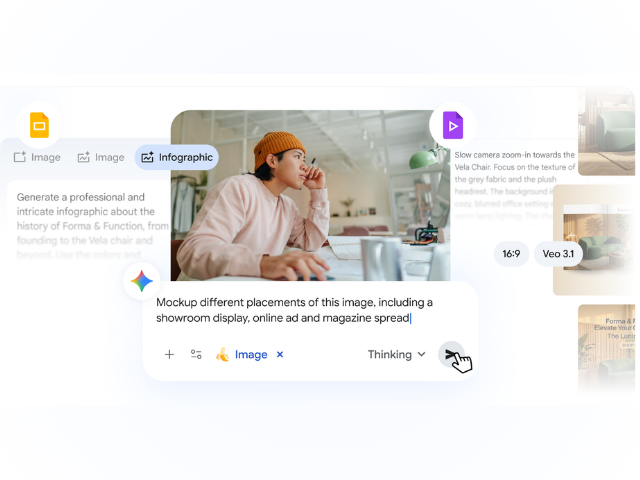
Generative AI has made it easier and faster than ever to create high-quality visual content. This can make your marketing campaigns, client presentations, or internal trainings truly stand out, but knowing where to start can feel overwhelming. For businesses, the real challenge isn’t just generating an image or a video, but generating one that is accurate, relevant, and truly useful for their work.
That’s why Google Workspace has integrated with Nano Banana Pro (Gemini 3 Pro Image) and Veo 3.1, Google’s cutting-edge image and video generation models, to help you enhance your creativity. And since Nano Banana Pro is connected to Google Search’s broad knowledge base, it understands the real world, meaning you can generate images based on reality, not just imagination.
Here are five practical ways you can use AI-generated images and videos to drive real business results.
1. Create more visual presentations
We all know what good slide design looks like, but creating it hasn’t always been easy. This is where AI can help. Next time you create a presentation in Google Slides, use Nano Banana Pro to enhance or add custom, relevant elements to any image. Have a slide that looks flat? With a single click, the new “Beautify this slide” feature transforms your current slide into an engaging visual with accurate, readable text, while modeling the overall look and feel of the presentation.
Now you can also generate detailed, professional infographics directly in Slides with just a prompt. Nano Banana Pro is connected to Google Search’s vast knowledge base, which means it exceptionally represents real-world objects and places, taking into account the details you describe. Consider turning your company, product, or customer satisfaction data into high-quality infographics that are easier for your current and potential clients to understand.
2. Create dynamic product photography
Previously, high-quality product photos required a physical photo shoot. With Nano Banana Pro, you can now quickly create high-quality product photos by uploading a photo of your product and placing it in different situations just by describing them. Whether you need a new image for a webpage, an online ad, or a catalog, you can instantly create professional-quality images that showcase your product in the perfect context, saving time and resources while improving your brand visibility.
3. Scale multi-format campaigns in minutes
A successful campaign must connect with your audience across multiple channels, but adapting content for each platform can be time-consuming. Now you can quickly adjust assets for different campaigns, allowing you to resize them for different social media platforms or other digital channels. You can even translate the text of your assets into new languages to expand globally. Start by uploading an image or generating a hero image with high-quality text overlay using Nano Banana Pro in the Gemini app. To discover what connects with your audience, consider creating multiple variations for A/B testing by slightly modifying your prompts.
4. Generate animated videos from your imagery
To make your presentations even more impactful, improve your visual storytelling, and create engaging content, you can now generate videos from images using Veo in Google Vids or the Gemini app.
Simply select up to three of your favorite images—whether existing or AI-generated—write a prompt about how you want them to be integrated (or add movement to a single image), and Veo will handle the rest. The result? A high-quality short video that combines your images and is the perfect asset for social media, presentations, or your website.
5. Uplevel your internal trainings with video storytelling
Internal training materials or presentations are often dense and unengaging, making it difficult to capture the audience’s attention. With Google Vids, you can easily transform documents or presentations into dynamic video-based training that sticks. While Vids offers a wide library of stock content, you can now make your training look more relevant and on-brand by generating your own visual elements.
With the power of Veo in Vids, you can generate short, specific video clips that visualize complex concepts instantly. It’s not just about making things look attractive, but about using visual storytelling to ensure your team truly understands and remembers the material long after the training ends. Visual learners, rejoice!
Get started today
With AI deeply integrated into the Google Workspace tools you use every day, it’s easier than ever to create engaging, high-quality visual content without needing to be a design expert. Try it now in Slides, Vids, and the Gemini app; we look forward to seeing what you create.
If you need help implementing and training your team on these features or in acquiring Google Workspace licenses for your team, don’t hesitate to contact us. We are here to boost your progress!
*Nano Banana Pro and Veo 3.1 are available to eligible Workspace customers with a business account. Availability and limits may vary by plan.
*Note: images created without a watermark are available for Google AI Ultra for Business subscribers.


2 Comments