

In today’s business ecosystem, video has become the most powerful internal and external communication tool. However, for many professionals, video editing remains a technical barrier that consumes too much time. At G Nerd, as expert Google Workspace consultants, we are always looking for ways to optimize your team’s productivity, and the latest update to Google Vids is, quite simply, a game-changer.
Google has announced a revolutionary feature: the ability to edit videos in Google Vids using the transcript. Yes, you read that right. Now you can edit visual content with the same ease as editing a Google Doc.
What is Transcript-Based Editing in Google Vids?
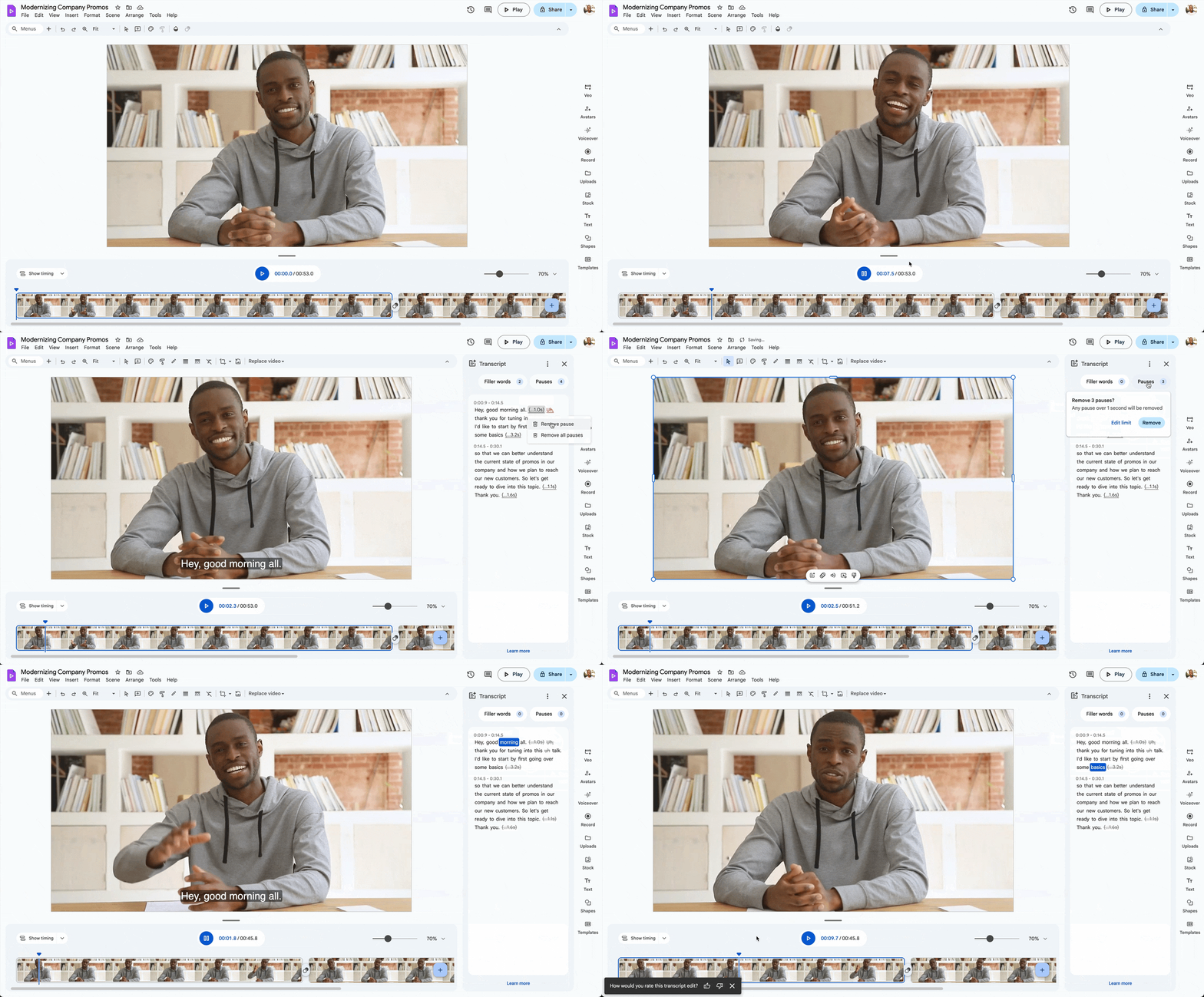
Until recently, editing a video meant manually trimming clips on a timeline, searching for the exact second where someone made a mistake or where a sentence dragged on for too long. With the new AI integration in Google Vids, the platform automatically generates an audio transcript of your video.
To edit the video, you just need to read the text. If you want to remove a sentence, a hesitation, or an entire paragraph from the video, simply highlight and delete that text in the transcript. The video clip will automatically be trimmed to reflect those changes.
Key Benefits for Your Company
This update is not just a technological curiosity; it has direct benefits for Google Workspace workflows:
-
- Drastic Time Savings: What used to take hours of technical review is now resolved in minutes of reading and text editing.
- Accessibility for Everyone: You no longer need to be an expert editor. Any member of your marketing, sales, or HR team can create professional videos.
- Precise Content Polishing: It is ideal for refining meeting recordings, tutorials, or executive messages, removing filler words or unnecessary pauses with a single click.
How to Get Started
This feature uses the power of Gemini and Google’s AI infrastructure. When you upload a video to Google Vids, you will see the option to generate a transcript. Once generated, the text editing panel will appear next to the video preview, allowing for smooth, real-time manipulation.
Optimize Your Workspace with G Nerd
At G Nerd, we understand that tools like Google Vids are the future of digital collaboration. As your strategic partner in Google Workspace implementation, we help you configure and make the most of these AI innovations so your business doesn’t fall behind.
Are you ready to transform your company’s communication? Sign up for Google Workspace with G Nerd and gain access to the most advanced video editing tools on the market. AI is here to work for you!
Resources


2 Comments