
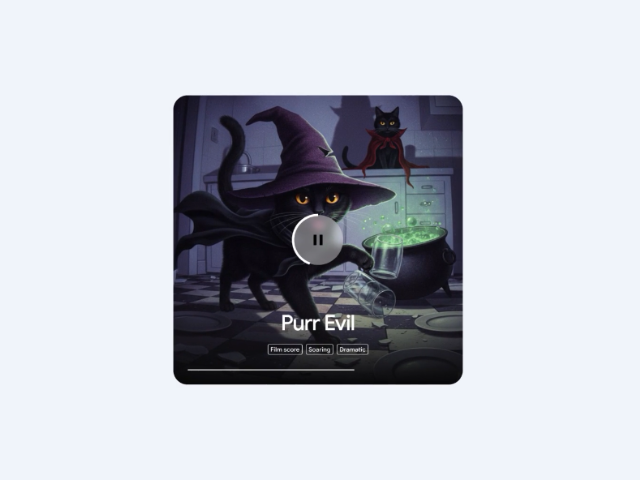

Unlike other generators, the integration of Lyria 3 into Gemini stands out for its multimodality. This means it doesn’t just understand text, but can interpret images to create the perfect soundtrack.
Main features:
- Custom tracks: Create audio clips up to 30 seconds long with surprising studio quality.
- Image to Audio: Gemini can “read” the image and compose a melody that matches the visual sentiment.
- Safety and Ethics (SynthID): All generated music includes an imperceptible digital watermark from Google DeepMind, ensuring the content is traceable as AI, thus protecting the integrity of creators.
Step-by-step guide: From idea to sound
Create a song
- Log in to Gemini or open the app on your mobile device.
- Under the text box at the bottom, click on Tools.
- Click on Create music.
- You can start directly by describing the genre, rhythm, and mood.
- (Optional) Click on the camera icon or the “+” to upload an image and provide context.
Download a song
- In the top right corner of the song image, click “Download.”
- Choose whether you want to download the video with the cover art (MP4 format) or just the audio (MP3 format) to your computer.
Share a song
- In the top right corner of the song image, click “Share.”
- Copy the link to share it and send it to your friends or upload it to social media.
3 Prompt Examples
To get the best results, the key is in the detail. Here are three proposals you can copy and paste today:
For Product Reels
“Create a 30-second track in a modern Lo-fi style, with a steady and hopeful beat, ideal for a ‘behind-the-scenes’ video of a tech office.”
For Corporate Presentations
“Generate a high-energy cinematic audio track, with soft synths and an epic crescendo, for an annual results presentation.”
Visual Inspiration
(Uploading a photo of a team collaborating) “Compose a cheerful and motivating acoustic melody that reflects teamwork and innovation.”
Availability: Who can use it?
Currently, this functionality is being rolled out to Gemini Advanced users and Google Workspace accounts (Enterprise and Business). It is vital to have the appropriate licensing to access the most powerful versions of these language and creation models.
Is your company ready for the AI era?
Generative music is just the tip of the iceberg of what Google Workspace can do for your productivity. At G Nerd, we are experts in helping you implement these tools strategically.
If you want to unlock the full potential of Gemini for your team or need advice on which Workspace license best fits your creative needs, we are here to help.
Schedule a consultation today to review which Google Workspace plan would give your team full access to these AI tools


One Comment