

Transfer to G Nerd for Google Workspace billing
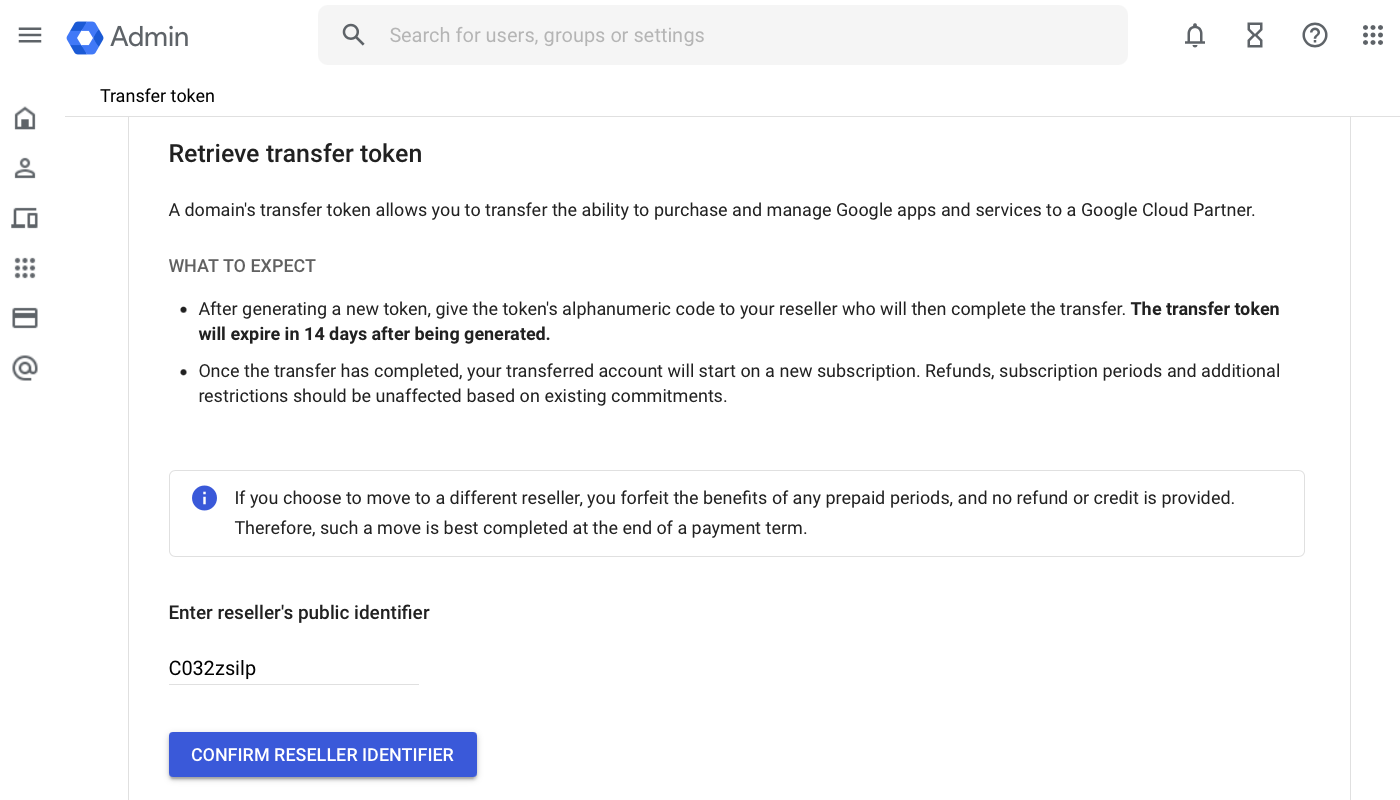
Retrieve Transfer Token – admin.google.com/TransferToken
To transfer management of your Google Workspace account, G Nerd needs a transfer token that associates your account with us. Follow the following steps to obtain it:
- Sign in to your Google Admin Console (admin.google.com). We recommend doing it in a window in Incognito or Private Mode..
- Once logged in, copy the following URL: https://admin.google.com/TransferToken https://admin.google.com/TransferToken and paste it into the URL bar of your browser. Visit it to enter the section to retrieve your Transfer Token.
- Check the Terms and Conditions box to accept them.
- Enter the G Nerd Distributor Public Identifier: C03jacfu1
- Check that the domain name and company name are those of the reseller to whom you want to transfer management of your account. If everything is right, click on Confirm Reseller ID.
- Click on Generate Transfer Token.
- Click on Copy Code. Write down the transfer token code. Transfer tokens expire 14 days after being generated. If you have lost yours or it has expired, log in again and repeat the steps above.
- Provide the code to G Nerd by submitting the form below. Transfer will be effective as soon as the distributor receives the token and completes the transfer of your account.